
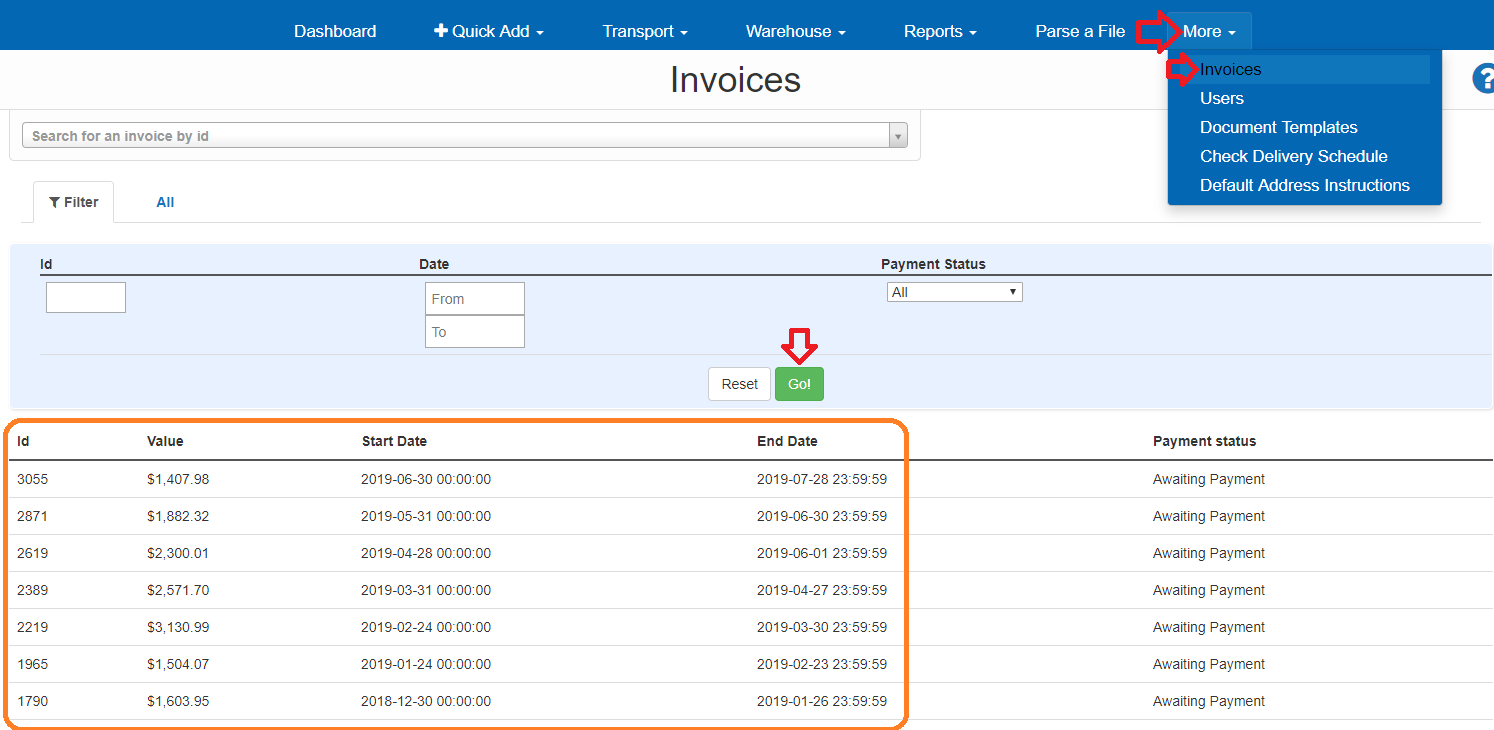
Go to More then click Invoices Select Date Range or click GO - Click on invoice to view
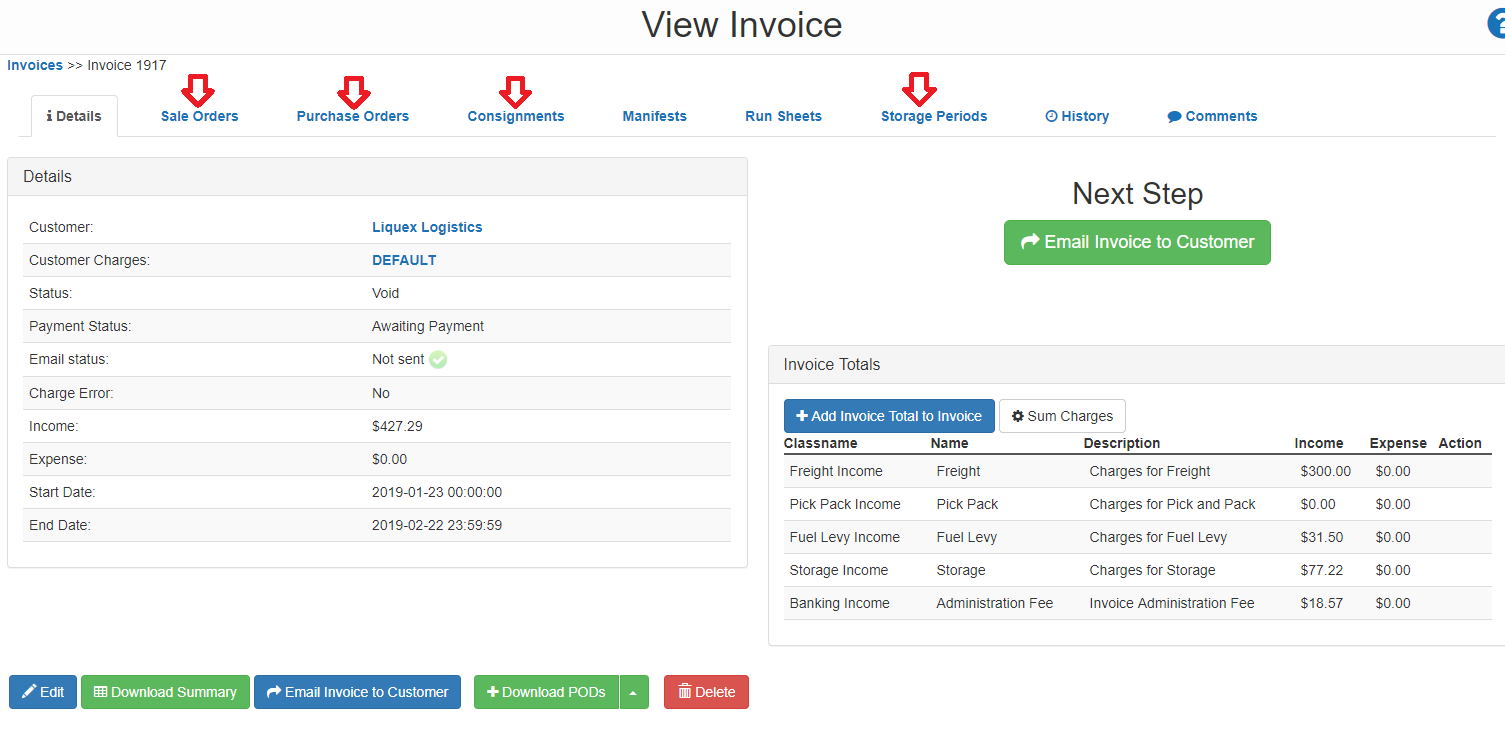
Click on each tab to view related charges.
If you require further assistance please contact support@liquex.com.au

How can we help you? 👋
General Information
How to view and read your Invoice Summary on Carton Cloud
Go to More then click Invoices Select Date Range or click GO - Click on invoice to view
Click on each tab to view related charges.
If you require further assistance please contact support@liquex.com.au